
Key Takeaways
- Most commercial VR flight simulators require 220V power with a peak load around 6.0 kW—plan your electrical capacity early.
- The unit weight is approximately 550 kg, so floor load capacity and anchoring must be verified before delivery.
- Proper installation needs clearances, cable routing, and operator visibility to ensure safety and uptime.
- Stable network connectivity enables exclusive content updates and remote technical support.
- A well-prepared site reduces downtime, speeds up commissioning, and protects your long-term ROI.
Are You Ready Before the Machine Arrives? (First 100 Words)
Successful deployment of a commercial VR simulator starts before the crate arrives. If your venue has 220V / 6.0 kW capacity, sufficient floor loading for ~550 kg equipment, adequate ceiling clearance, and a reliable network, installation can be fast and trouble-free. Miss any of these, and you risk delays, rework, or limited performance. This guide breaks down vr simulator specifications, electrical requirements for arcade venues, and installation best practices so your VR flight machine runs safely, smoothly, and at full capacity from day one.
Core VR Simulator Specifications at a Glance
What You Should Confirm Upfront
- Voltage: 220V (single-phase, typical)
- Power: up to 6.0 kW (peak during intensive motion)
- Weight: ~550 kg (net)
- Footprint: plan for machine size + safety clearance
- Network: stable internet for updates and remote support
Quick Reference Table
| Parameter | Requirement | Why It Matters |
|---|---|---|
| Voltage | 220V | Stable operation |
| Power | 6.0 kW | Handles peak motion load |
| Weight | ~550 kg | Floor load planning |
| Network | Broadband | Updates & support |
| Clearance | Safety buffer | Safe operation & maintenance |
Electrical Requirements: 220V and 6.0 kW Explained
Why Power Planning Is Critical
A VR flight simulator is a high-performance motion system. Power isn’t just for displays—it drives:
- Motion platform motors
- Control systems
- Lighting and effects
- External displays (if installed)
Voltage Standard (220V)
Most commercial units operate on 220V single-phase.
Checklist:
- Dedicated circuit recommended
- Proper grounding (earth)
- Industrial-grade wiring
Power Capacity (6.0 kW)
Peak consumption can reach 6.0 kW during:
- Rapid acceleration
- Vertical motion (lift/drop)
- Multi-axis rotation
Best practice:
- Allocate ≥ 20–30% headroom beyond peak
- Use a dedicated breaker for the machine
Distribution & Protection
- Independent circuit breaker (matched to load)
- Residual current device (RCD) for safety
- Surge protection in areas with unstable supply
Reliable power = stable performance + lower downtime.
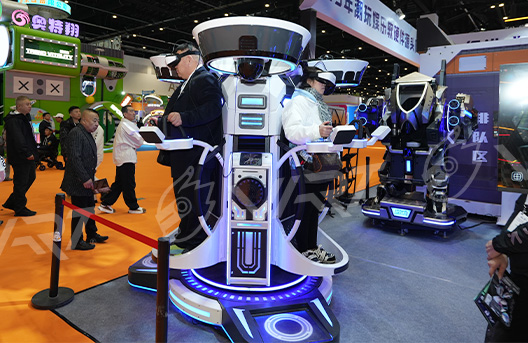
Weight, Floor Load & Installation
Understanding the 550 kg Load
The machine’s net weight is around 550 kg, concentrated over its base.
Floor Load Capacity
Confirm your floor can handle:
- Static load: machine at rest
- Dynamic load: during motion (recommended safety factor)
General guidance:
- Commercial floors typically support ≥ 500–800 kg/m²
- Verify with your contractor/landlord for exact ratings
Installation Surface
- Flat, level surface (tolerance within a few millimeters)
- Non-slip finish around the machine
- No loose tiles or weak subfloor
Anchoring & Stability
Depending on the model and local code:
- Anti-vibration pads or anchoring bolts may be used
- Ensure no lateral movement during full motion
Clearance & Service Access
- Keep ≥ 500–800 mm clearance around the unit
- Leave rear/side access for maintenance
- Ensure operator visibility of all seats and entry points
Network & Content Updates
Why Connectivity Matters
Modern VR simulators rely on software as much as hardware.
Exclusive Content & Updates
- Built-in exclusive custom games
- Periodic updates to maintain freshness
- Optimization patches for performance
Network Requirements
- Stable broadband (wired preferred)
- Low latency for smoother updates
- Secure access for remote diagnostics
Remote Technical Support
With proper connectivity, the manufacturer can:
- Diagnose issues remotely
- Push updates or fixes
- Reduce on-site service time
Result: less downtime, faster recovery.
Installation Workflow (Recommended)
Step-by-Step Overview
- Site Check
- Power, floor load, ceiling height, network
- Electrical Setup
- Dedicated 220V line, breaker, grounding
- Delivery & Positioning
- Place on prepared, level surface
- Assembly & Calibration
- Motion calibration, safety checks
- Software Setup
- Activate system, connect network, update content
- Test Run
- Full motion test, emergency stop verification
Timeline
- Typical installation: 1–2 days (site-ready)
- Additional time if upgrades are required
Common Mistakes to Avoid
- Sharing circuits with other high-load equipment
- Ignoring ceiling height or clearance
- Underestimating floor load capacity
- Weak or unstable internet connection
- Skipping test runs before opening
Electrical & Installation Comparison
| Factor | Improper Setup | Proper Setup |
|---|---|---|
| Power | Shared / unstable | Dedicated 220V line |
| Load | Unknown capacity | Verified floor rating |
| Network | Weak Wi-Fi | Stable wired connection |
| Downtime | Frequent | Minimal |
| User Experience | Inconsistent | Smooth & reliable |
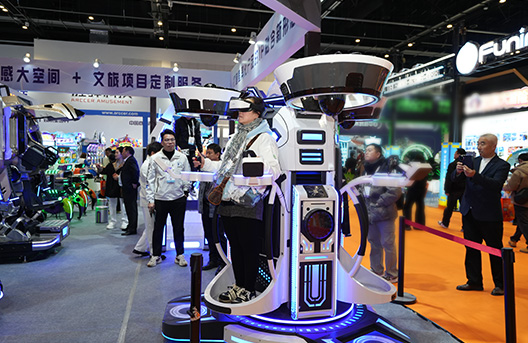
Why Technical Preparation Impacts ROI
Technical readiness is not just about safety—it affects:
- Opening timeline (faster launch)
- Operational stability (fewer interruptions)
- Customer experience (smooth sessions)
- Maintenance cost (lower long-term expense)
In practice:
Better preparation = fewer problems = more revenue
Final Insight: Treat Installation as Part of the Investment
Many operators focus on the machine price—but overlook the setup.
The most successful venues:
- Prepare power and space in advance
- Choose fully integrated systems
- Ensure ongoing support and updates
Because a VR simulator is not just equipment—
it’s a long-term operating system for your business.
Want a site-specific checklist and layout based on your venue?
Get a customized installation plan and quote for the 3-seat VR flying simulator
FAQ
What voltage do VR simulators require?
Most commercial units operate on 220V with a dedicated circuit.
How much power is needed?
Peak consumption can reach 6.0 kW, so plan capacity with headroom.
How heavy is a VR flight machine?
Typical net weight is around 550 kg, requiring proper floor load verification.
Do I need internet for operation?
Yes. A stable connection is recommended for updates and remote support.
How long does installation take?
If the site is prepared, installation typically takes 1–2 days.
Post time: May-15-2026