
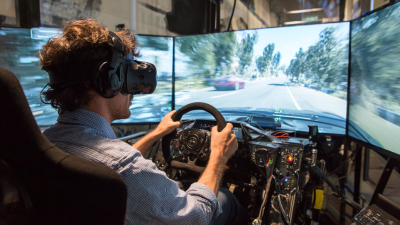
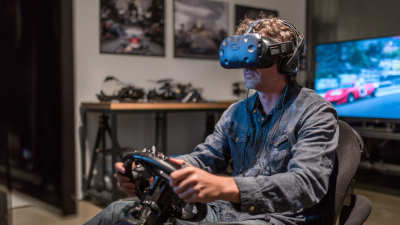
The VR simulated driving experience has really changed how car enthusiasts get their kicks out of driving. I read somewhere that, according to MarketsandMarkets, the virtual reality market is expected to hit around $57.55 billion by 2027 — pretty amazing, right? This huge growth just goes to show how much people crave these immersive experiences, especially when it comes to cars and driving. Honestly, many users get totally hooked on how realistic these simulations can feel—they mimic real-world driving so well, it’s like you’re actually behind the wheel. Plus, it offers a safe and pretty exciting alternative to hitting the road in real life.
That said, it’s not all smooth sailing. Some folks do complain about feeling sick or getting a bit uncomfortable after long sessions. And while the graphics and sound are often pretty jaw-dropping, they still don’t quite fully capture the real immersive vibe of actual driving. Companies like Oculus and PlayStation are definitely pushing the envelope to make things more realistic, but they’re still working out some kinks. Things like calibration for the equipment and software updates are ongoing—it's a work in progress.
Getting the most out of a VR driving simulation takes a bit of patience and some getting used to. You have to spend time learning the controls and tweaking settings to really enjoy it. As the tech keeps advancing, it’s good for enthusiasts to keep a critical eye—enjoying the cool stuff but also recognizing where it still falls short. It’s all about enjoying the ride and understanding the little quirks that come with these virtual adventures.

Choosing the Right VR Hardware for Driving Simulation
When diving into a VR simulated driving experience, the right hardware is crucial. A quality VR headset provides immersive visuals, enhancing the realism. Look for headsets with high resolution and wide field of view. Controllers should offer haptic feedback. This makes you feel the car's movements and road textures.
Tips: Test different headsets before buying. Not all headsets will fit comfortably. Comfort is key for longer sessions.
Another important aspect is motion tracking. Good tracking keeps your virtual car aligned with your real-world movements. Wireless options reduce clutter but may face connection issues. Wired setups generally provide more stable performance.
Tips: Ensure your room is spacious. This space allows for unhindered movement in the VR environment. Remember, a messy room can lead to collisions in the simulation.
Investing in a steering wheel controller can significantly improve the experience. Look for one with adjustable sensitivity. Not every model is perfect, and some may not fit your play style. Be prepared to experiment with settings for the best response.
How to Enjoy a VR Simulated Driving Experience at Home? - Choosing the Right VR Hardware for Driving Simulation
| Hardware Component | Recommended Specifications | Price Range (in USD) | Key Features |
|---|---|---|---|
| VR Headset | 1440x1600 resolution per eye, 90 Hz refresh rate | 300 - 600 | Wide field of view, built-in audio |
| Motion Controllers | 6DoF with haptic feedback | 50 - 150 | Precision tracking, intuitive control |
| Racing Wheel | Force feedback, adjustable sensitivity | 200 - 500 | Realistic steering feel, compatible with various games |
| Racing Seat | Ergonomic design, adjustable for comfort | 100 - 300 | Realistic seating position, sturdy build |
| PC Specifications | Intel i5 or Ryzen 5, 16 GB RAM, NVIDIA GTX 1060 or better | 800 - 1500 | High performance for smooth VR experience |

Exploring the Thrills of VR Shooting Free Roam Experience: A New Era in Immersive Gaming
The advent of virtual reality (VR) has revolutionized the gaming landscape, particularly in the realm of free-roam experiences. Immersive gaming has reached new heights, providing players with the unique opportunity to engage in mission-driven shooting gameplay within a physically navigable environment. Unlike traditional arcade-style gaming, these experiences allow individuals to traverse real-world spaces, interact with their surroundings, and fully immerse themselves in dynamic narratives. According to a recent industry report, the global virtual reality gaming market is projected to reach approximately $45 billion by 2028, demonstrating the increasing demand for more engaging and interactive gaming formats.
One notable innovation in this field is the next-generation free-roam XR (extended reality) experience. By combining physical movement with advanced VR technology, these experiences create a compelling mix of realism and interactivity. Players are not confined to a single vantage point; instead, they are encouraged to open doors, explore environments, and engage in story-based combat scenarios. This level of interaction is supported by full-sensory effects, enhancing the emotional engagement of the player and providing a truly immersive atmosphere. Such advancements are indicative of the gaming industry's shift towards fostering deeper player involvement and transcending the limitations of traditional gaming modalities.
An essential aspect of these immersive experiences is the impact on social engagement and team dynamics. As highlighted in multiple studies, multiplayer VR experiences enhance collaboration and communication among players, promoting a sense of camaraderie and shared adventure. This trend is particularly appealing in an era where social interactions are increasingly digital, and immersive gaming offers a refreshing alternative that bridges the gap between virtual and physical worlds.

FAQS
: VR provides an immersive experience, allowing users to explore various driving scenarios and environments.
Each setting presents unique challenges that enhance realism. This can improve skills and reaction times significantly.
Try different driving settings and take breaks to prevent fatigue. Practice and patience are crucial for improvement.
A sturdy racing wheel and pedal set improve accuracy. A dedicated racing seat can add comfort during long sessions.
Quality headphones create an engaging atmosphere, making the experience feel more realistic and immersive.
The learning curve may be steep, and not every session will be perfect. Motion sickness can also be an issue.
Consider adjustable stands or mounts for your VR headset. This helps keep everything organized and reduces setup hassle.
Mastery takes time. Expect some frustration along the way as you adapt to the virtual environment.
It’s essential to take breaks and allow your body to adjust to prevent discomfort during sessions.
Conclusion
To truly enjoy a VR simulated driving experience at home, it's essential to start with the right hardware, including compatible VR headsets and controllers that enhance immersion. Selecting the best simulation software tailored to your driving preferences will further elevate the experience. Creating a safe and comfortable VR space is crucial, ensuring enough room for movement and freedom from obstacles. Familiarizing yourself with the VR driving controls and features allows for smoother gameplay, while exploring various driving scenarios and environments can keep the experience dynamic and engaging.
To make your VR simulated driving experience even more enjoyable, consider utilizing accessories and add-ons that can enhance realism, such as steering wheels or pedal sets. Finally, tips for overcoming motion sickness, a common issue during VR sessions, can help you extend your playtime. With the right setup and a little preparation, you can transform your home into an exciting driving simulator that provides hours of entertainment.
Related Posts
-

How to Play Vr Car Simulator for the Best Experience?
-

Exploring the Realities of the Future: How 9D VR Driving Simulators Transform Driving Experiences
-

Top 10 Benefits of 9d Vr Driving Simulator for Gamers
-
Ultimate Guide to Choosing the Best Vr Driving Simulator for Your Needs
-
The Future of Gaming Experiences with VR Simulators
-

How to Maximize Training Efficiency with VR Machines in Corporate Environments
